Archive for the 'Interface Design/Product Development' Category

2010 Trends for Tech Toys and Virtual Worlds

Friday, March 12th, 2010

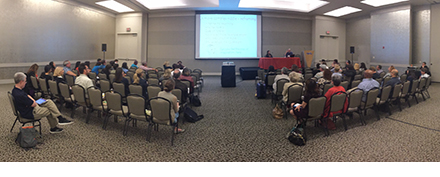
The virtual world conference Engage Expo was held at the same time and same location as the annual NY Toy Fair

In mid-February, the annual New York Toy Fair held their conference at the same time as the virtual world conference called Engage Expo. Both industries compete for kids’ interest and at times, even collaborate in engaging them through both online and offline play. The two conferences offered a rare opportunity to hear how both industries are thinking about engaging kids through digital play.

At the end of both of these events, a number of industry experts gathered together to discuss key trends with kids, technology, virtual worlds, and play. What were some of the key findings for 2010? Less virtual world announcements. Deeper virtual world experiences. Less technology toy announcements. Lower price points across all products. Less “watch me” toys. More touch screens for tech products that were screen-based. The desire by kids to stop being “micro-paymented” to death.

These and other trends can be heard in the video recording of this group get-together offered below. Also included in the video are photos of new products announced at the show that you will see rolled out later in 2010.

For those who would like to simply cut to the chase, I’ve also included a look up table below to find the location within this video where the group talks about specific products you’re interested in. After you’re done viewing, share your thoughts about what key trends you see in the world of digital play. Enjoy!


Maker Product Time
Reference
New
for
2010?
Air Hogs Gravity Laser 21′14″ N
Ami Entertainment
Solutions
My Ami 36′20″ Y
Apisphere Geomate Jr. 11′29″, 35′45″ Y
Apple iPhone/iTouch 12′15″, 33′29″ Y
Beamz Interactive The Beamz 22′52″, 25′42″ Y
Big W Productions FaceChipz 38′24″ N
Disney World of Cars Online 3′55″, 14′34″ Y
Disney Clickables 38′26″ N
Disney Club Penguin 4′35″, 14′38″, 40′24″ N
DreamWorks Kung Fu Panda World 3′48″, 4′56″, 14′36″ Y
Facebook Facebook 33′39″, 39′10″ N
Fat Brain Toys Erector sets 2′44″ N
Fisher-Price Dance Star Mickey 22′22″, 45′12″ Y
Fisher-Price Red Rover 32′20″ Y
Fisher-Price Follow Me Thomas 21′23″ Y
Fisher-Price Elmo Live! 45′22″ N
Fisher-Price Tickle Me Elmo 45′31″ N
Fisher-Price Frightening McMean
Talking Truck
44′17″ Y
Fisher-Price iXL 18′13″, 20′59″ Y
Flipoutz Flipoutz 8′23″, 37′48″ Y
Gamewright Rory’s Story Cubes 30′04″ Y
GeoPalz GeoPalz 9′28″ Y
BigBoing Gnomads 38′35″ N
TDC Games Green Pieces 42′19″ Y
Gyrobike Gyrowheel 10′48″, 13′09″ Y
Hairy Entertainment Elf Island 37′31″ N
Hairy Entertainment Xeko 37′25″ N
Hasbro Scrabble Flash 23′07″ Y
Hasbro 75th Anniversary Monopoly 27′40″ Y
iToys Me2 9′35″ N
Jacabee Jacabee Code 15′21″ N
Jakks Pacific Spy Watch 19″31″, 19′59″ Y
Jakks Pacific EyeClops (Spy Net) 19′50 N
KidsGive Karito Kids 42′42 N
LeapFrog Leapster 2 18′22″ N
Lego Creationary 24′57″, 25′20″ Y
Lionel Lionel Trains 2′10″, 2′41″ N
Mattel Avatar i-Tag
Augmented Reality cards
39′48″ Y
Mattel Loopz 22′49″, 25′58″, 26′56″ Y
Mattel Mind Flex 22′40″ N
Nintendo Nintendo DS 18′24″ N
Paricon Sleds Flexible Flyer Sled 1′57″, 2′39″ N
Rio Grande Games Dominion 43′47″ N
Rio Grande Games Settlers of Katan 43′45″ N
Rixty Rixty 35′25″ Y
Scribble mats Scribble mats 16′45″ N
Shidonni Shidonni 29′47″ Y
Smith & Tinker Nanover 33′24″, 39′59″ N
Swinxs Swinxs 11′21″, 32′14″, 36′06″,
40′54″
N
Techno Source Rubik’s Slide 11′08″, 11′26″, 11′53″,
12′32″
Y
Techno Source Rubik’s Touchcube 45′45″ N
ThinkGeek Guitar Tshirt 26′31″ Y
TCKL Drip Drops 28′50″ Y
Topps Augmented Reality
Baseball Cards
39′47″ Y
TV Hat TV Hat 26′07″, 36′11″ Y
Obvious Twitter 10′12″, 33′08″ N
Uncle Milton Pet’s Eye View Camera 9′57″ N
Uncle Milton Star Wars Force Trainer 22′42″ N
University Games Brain Quest Smart 28′13″ Y
VTech Flip 18′09″, 21′03″ Y
VTech MobiGo 18′34″ Y
VTech Submarine Learning Boat 44′23″ Y
VTech Musical Bubbles Octopus 44’46 Y
Where’s George Where’s George 38′43″ N
Wild Planet Hyper Dash Extreme 32′24″ Y

Conversations with a Game Changer

Wednesday, June 24th, 2009

Assistanct Director of the Joan Ganz Cooney Center, Ann My Thai

Can you imagine using video games as an effective tool to improve a child’s mind and physical well being? Can you also imagine video games that do more than just passively entertain and become media tools to improve a child’s life? These ideas no longer live in the domain of fantasy, and the researchers at the Joan Ganz Cooney Center, a non-profit organization named after the Sesame Street show’s founder, are exploring how new kinds of video games can help promote learning and healthy lives for children across the globe.

Yesterday at the Woodrow Wilson Center in Washington DC, the Cooney Center released its latest policy brief entitled Game Changer: Investing in Digital Play to Advance Children’s Learning and Health. (Note: Video of this event will be available soon on the Joan Ganz Cooney Center’s YouTube channel.) The paper was shared with a crowd of thought leaders specializing in the areas of education, public policy, research, television and video games. Game Changer defines a number of recommendations for a new framework related to learning games and games for health. After the event, which include a panel discussion from a number of pioneers in the learning games and games for health space, I had the opportunity to speak with Ann My Thai, one of the Cooney Center’s lead authors on this paper.

Scott Traylor: Your Game Changer report covers two sizable topics; learning games and games for health. Why one report and not two?

Ann My Thai: This was something we really struggled with because learning games and games for health are both large areas. Learning encompasses all types of content areas, be it literacy, math, programming, or 21st century learning skills. Health on the other hand has a certain kind of knowledge and a certain rigor in the medical field that doesn’t exactly map out in the same way to learning research, especially when you talking about educational intervention research, an area which created a really big challenge in writing this paper. In the end we decided we wanted to stay to the Sesame Workshop philosophy of the “whole child,” or in other words, the many areas of a child’s overall development, not just one area of development. We felt it was important not to ignore one or the other but to present both topics together. There’s strong research that shows learning and health are closely connected in young children. It’s important to address these challenges in both realms when talking about digital media. We suspect these are the areas within digital media that provide the greatest benefits. They can help bridge the gap between home and school as well as provide tailor-made learning for children, areas that are really important in health learning and learning in general.

ST: In your report you cite that the health-based gaming industry is estimated to be a $6.6 billion market. How big is the learning games market?

AMT: That’s a hard question to answer. Defining what is a learning game can be tough to begin with. On one hand you have organizations that are developing learning games in a research-based way, to make games intentionally educational. On the other you have companies who are making games that are fun first, but sometimes accidentally provide great learning opportunities to kids. Financial data exists for the gaming industry generally but I’ve yet to find anything specific that defines the market size of just learning games.

ST: In your report you touch on Henry Jenkins’ Digital Media Literacies Project, a body of work that could provide valuable insights for integrating digital media in the classroom. What do you think it will take for the points defined in the Digital Media Literacies Project to find its way into the classroom?

AMT: I think it’s going to take a complete paradigm shift with everyone who is involved with educating children, from parents to teachers, to school administrators, to reasearchers like us. There are so many ways that learning can work better for students. We need to completely re-envision what it means to be a school. For example, the area of parental involvement with children’s learning alone is huge. There’s a big disconnect between what happens at school and what children do at home. Digital media can be a really powerful tool in this regard, but it won’t happen if there are calls for cell phone bans in schools because news reports claim students are cheating in school by texting with cell phones. I don’t believe this is the response that will keep kids engaged. Kurt Squire, a leading learning games researcher from the University of Wisconsin-Madison, recently said that kids pass notes in class to one another all the time, notes that have been created with pencils. We don’t ban pencils in the classroom. Pencils are a neutral medium, just like cell phones and other technologies. We need to spend more time exploring the benefits of these technologies, instead of banning them for what potential harm they may bring.

ST: Studies find that Nintendo Wii Sports players expended significantly less energy than children playing “real-life” sports. Would you say exergaming is more about behavior change than it is about physical exertion during game play?

AMT: That’s a good question, and one that reminds me of a comment made by Alan Gershenfeld, founder of E-Line Ventures, during today’s panel presentation. Alan wonders if the success of Guitar Hero has inspired children to want to learn how to play guitar. Wouldn’t it be great of we could track increases in guitar sales as as a result of Guitar Hero’s success!

I think behavioral change is one part of it. I also think about communities that may not be safe for children to go outside and play. As the exergaming pioneer Dr. Ernie Medina mentioned in our interviews, exergaming may not necessarily be better than going outside. However, if children are inside and they are playing games, playing games that require children to be physical active are a much better alternative than playing sedentary games. It’s all about a balanced media diet.

ST: How best can we achieve a coordinated effort to improve research related to learning games and games for health?

AMT: Certainly programs like the Robert Wood Johnson Foundation’s Pioneer Portfolio national Health Games Research program is a good start. A good first step would be to get people who are developing games to communicate with others across a variety of other important disciplines. Game Changer calls for the government to conduct an inventory to determine what games research is being funded and by which agencies.   This would organize the current research and help accelerate collaboration across silos, which is already starting to happen. The government also needs to create incentives for people to work and play in the same sandbox. The way that academic research is currently being conducted is very much driven by individual researchers. There are not many opportunities for researchers to cross pollinate. This is something that digital media, as well as any other media, requires.

Researchers also need to have more communication with practitioners and people who are using these digital medias as part of their research. There needs to be more incentives to drive and encourage these sorts of collaborations.

ST: Are you hearing any feedback from policy makers about your report? What are they saying?

AMT: People are talking about these issues. This is a really pivotal moment in Washington in terms of setting an agenda for education and health. We hope that policy makers will read this report and see that if children are playing video games for hours a day, why not provide options that are not only entertaining and engaging, but also helpful with improved health and can teach children something as well. We have a briefing coming up with the Office of Science & Technology Policy. We know they have been looking at some of these barriers to multidisciplinary collaboration. We hope that our recommendations will give them some concrete ideas for how to lower those barriers.

Classroom Surfaces Crackle with Life

Tuesday, May 19th, 2009

Smart Technologies newest product, the Smart Table

It’s often been cited that if one were to go back in time 100 years to visit a classroom one would see no difference between that classroom of yesteryear and that of a classroom today. While indeed there are many similarities between the two classrooms, there are some major differences. First, a difference that cannot be seen is the many bits and bytes floating in the air of classrooms today thanks to wireless computing technologies. Second, the surfaces within a classroom are turning into interactive screens. As many technologists within the ed publishing space are certainly aware of, the interactive whiteboard is growing in popularity. I see a trend that has yet to occur related to these new interactive technologies that can be seized on today.

Currently, interactive whiteboards (IWBs) are being used at the front of a class for instruction that just a year or two ago occurred on a blackboard or with an overhead projector. Could you imagine a classroom where each student had their own netbook on their desk that could interact with an IWB in real time? Also, looking one step beyond netbooks, recently SMART Technologies announced its new interactive surface product, the SMART Table, which could very easily lead many similar manufacturers to convert student desks into interactive desks within a few short years. How can publishers take advantage of this opportunity that is almost visible on the horizon?

A number of new products can be defined to not only take advantage of IWB instruction, but to facilitate learning through two-way conversations between IWB and interactive desktop. Such functionality could result in the next “must have” learning product. Such products would allow all students to participate in the digital instruction, alongside the teacher, in real time. Also, if every student could interact from the comfort of his/her own desk, teachers could also monitor student progress from afar either in real time or after the class day has ended. Teachers could also scan student efforts from the IWB, and project a student’s work in much the same way Timbuktu technology allowed years ago, displaying a student’s interactive table on the IWB for everyone to see.

Another yet to be explored opportunity by publishers relates to classroom use of IWB altogether. For some instructors, the art of teaching can be a linear process and for the most part, delivered as a one-way conversation to students. Interactivity begs for participation. My greatest fear with IWB materials is that teachers will use the technology to deliver content in a similar manner to using an overhead projector. IWBs allow for an interactive opportunity that is a two-way or participitory conversation, or at very least, a one-way conversation that can branch off in many directions based on student needs. What publishers are doing today with IWBs is similar to when radio professionals tried applying their expertise to television in the early days of the new medium. Content creation sensitivities for radio did not automatically port to television, and as a result, many mistakes about how best to use the medium were made. It wasn’t until the invention of the three-camera shoot and many additional “formal features” that the medium of television began to succeed as a means to communicate. What happened in these early days of television is also occurring today with IWBs and most surface computing.

What I’m noticing while my own company is defining and developing IWB products for publishers is that experimentation, user testing, and research are areas soon to evolve in this fast growing space of ed tech. Simply converting print material into PDFs as a solution for successful IWB products doesn’t fully exploit the interactive teaching possibilities that can be found with these new devices and doesn’t create the best value for the classroom dollar. True product successes will occur when publishers think outside the blackboard and outside the overhead projector to create a product that has more to do with the language of interactive engagement and less to do with that of linear print.

Rubik’s TouchCube, A Digital Spin to a Classic Puzzle

Monday, February 16th, 2009

NY Toy Fair 2009 – Day 1 Cool Tech Find

Photo of the Digital Rubik's Cube by Techno Source

On opening day of the 2009 Toy Fair event in New York City, I began my search for new toy products that include unique application of technology for the benefit of enhancing play. While I only covered a small fraction of the show’s floor (7 hours of isle wandering), I came across a few products that caught my eye. One being a digital facelift to the classic Rubik’s cube, promoted by a company called Techno Source.

Let me start off by saying that I am not a Rubik’s cube fan. I never could figure out those darn things. But I thought a couple of tech features applied to this toy were really groundbreaking.

First, users interact with this non-twisting cube by touching the different surfaces with a finger. It immediately comes across as an iPhone touch interface. Slide a finger along a row of lighted tiles made the cube “rotate.”

Next, the cube has a built in accelerometer used to determine the active display face. Once the accelerometer has figured out which way is up, it only allows the upward face to be changed through touch. This way a users holding the cube with both hands from the side will not alter the puzzle’s surfaces in unexpected ways.

There’s a button to give you a hint if needed. Also included is multiple levels of undo so you can roll the surfaces back to a point where you think you may have made a mistake. When the TouchCube is rested in its docking bay to be recharged, the cube puts on a unique visual display. Think of this as your new digital lava lamp.

The Rubik’s TouchCube is available for purchase in the Fall and is being offered for a suggested retail price of $149.99. Check out video below to see the product in action.

Trying to Make A Successful Learning Game?

Monday, January 26th, 2009

Can video games be successful vehicles for learning? Over the years many companies have tried to create video games that not only entertain, but also deliver some learning value. Very few of these products have succeeded in being fun to play as well as helped achieve their desired learning goals. Many “edutainment” product fail in the consumer marketplace as well as in the classroom. However, a very small number of such games reach some level of critical success in both of these domains. Why is it that few succeed where many fail? What should developers of such products be doing to increase their chances of success? What assumptions made along the way are incorrect?

Over the last year I’ve worked on a presentation to suggest a few of the difficulties in creating effective learning games. The video included below is of a presentation I delivered this past November at the annual Dust or Magic Children’s New Media Design conference, though some version of it has appeared in a number of other presentations I shared with others in 2008. After taking a look, let me know your thoughts; What is important to think about when developing video games with learning in mind? What products do you think achieve success in this area? Which ones miss the mark completely? Where do you look for inspiration? Enjoy.

Research Recommendations from a Child Interaction Expert

Sunday, June 15th, 2008

Erik Strommen of Playful Efforts photo This past week I was at Northwestern University to participate in a conference called Interaction Design and Children (IDC). It’s a fantastic event where researchers, developmental psychologists and technology inventors and experts gather together to share information, research, and advice about creating effective interactive experience for children through technology.

There were many interesting presentations and posters offered which I hope to touch on in the coming days. One presentation in particular I enjoyed was delivered by Erik Strommen, founder and developmental psychologist of Playful Efforts. Erik and I were on a panel together along with Kathleen Alfano, the Director of Research for Fisher-Price. The panel was moderated by Edith Ackermann, who is currently a visiting scientist at MIT’s Center for Advanced Visual Studies. Among Edith’s amazing credentials is that she also worked with and studied under Jean Piaget. All of us discussed the importance of research in the creation of successful interactive technology products for children.

After opening remarks from Edith, Erik began his presentation by stating he would not be showing any Powerpoint slides because he is a member of the “Informal Society for the Suppression of Powerpoint” (Erik worked at Microsoft for many years.)

Next, Erik discussed the difficulty of testing interfaces for software and technology toy products that don’t exist. In many cases, researchers will be brought into a product development team to explore the effectiveness of an interface that has yet to be built. In such cases when you’re called in, it’s your duty to determine how best to guide the development of these new interfaces.

An important quote Erik mentioned that’s worth repeating:

“New interfaces raise a blizzard of never before asked questions that challenge conventional wisdom. Only after collecting data and seeing how such interfaces work with children can you determine how effective these new interfaces will be with children.”

Here are a number of tips Erik mentioned to guide successful child/interaction research:

  • Seek out “parallel literature” to inform your design.
    You may not find exact research you’re looking for regarding the new interface you wish to build, but you can learn a lot about how to inform your design by reading similar interface studies. For example, Erik recommends checking out “studies on social interaction and discourse patterns” to inform social interface design.

  • When prototypes don’t exist, fake it.
    Erik referred to this as “Wizard of Oz” testing. This is when the “man behind the curtain” may be carrying out audio or other functionality needs as part of a down and dirty prototype to test with. Always remember you may not be able to recreate the entire experience this way, just the crucial testing parts. How you define the testing will effect your mock-up. Focus ONLY on the developmental issue that need to be answered. DON’T focus on the technology! Be concerned with timing and vocabulary in your prototype scripts.

  • Understand the schedule and development process of your client.
    How much time do you have and where in the development process do you have the opportunity to make changes in the design? Definition of the interaction with your user needs to be defined up front. It is a deliverable that affects the entire development process, so work fast and deliver your findings early before crucial product development efforts begin.

  • Keep everyone informed.
    Let everyone on the development team know when findings will be presented. Keeping team members informed as to the time when conclusions will be shared better allows for changes that can be incorporated into the development schedule.

  • Be specific with your research question.
    Don’t ask overly broad or numerous questions that will keep you from ever finding the mission critical answers you need to inform you product development team. Remember, generally speaking, companies don’t want to pay for research and they don’t want to schedule research. But be ready, once the information is available, everybody will beat a path to your door for the results! Also be aware that the broader your research question, the more complicated your prototypes will become.

  • Make friends with the engineers on your team.
    They will be your best allies for creating prototypes. Engineers also care about having answers as to how best to develop for a specific audience

  • Don’t let the perfect be the enemy of the good.
    Early prototypes can be very different from the final product. You may not have the right characters or correct voices in your prototype but if you ask the right question, the results of your test will be invaluable. Remember, it’s the interaction that you are interested in testing. If visuals or character voices aren’t correct it will not threaten the validity of your testing.

  • Document what you did and the conclusions of your research.
    People will challenge your results and you may not remember everything you need in order to support your conclusions. You may also need to refer to your notes in the future when conducting similar studies.

At the end of the Erik’s presentation, he showed a number of prototypes used in technology toy testing.

To see video of Erik Strommen’s presentation at the IDC event, click below:

Thoughts for Designers: Announcing the Web 2.0.1 Patch

Friday, June 6th, 2008

[The following is an article I wrote for the May 2008 issue of Children's Technology Review. For those unfamiliar with this monthly magazine, it's a great information resource to all the latest software, gaming, and technology products being released for children.]

Last month, I was presenting at a conference for education publishers when someone raised his hand and asked “What’s a Webkinz?” Hmmmm, I thought. Doesn’t everyone know about Webkinz World? Shouldn’t everyone know about this site and others like it without the excuse “I don’t have kids.” The next day, somebody asked me, “What’s an avatar?” I was starting to understand that there were still plenty of publishers firmly stuck in yesterday’s Web 1.0 world. But don’t worry. We’ll fix the problem the way we developers always do – with a Patch.

The Web 2.0.1 Patch is designed to help you become more thoughtful when creating interactive experiences for children (and it works well for school or library websites, as well). Installing this Patch in your brain is a quick and painless process as long as you have a USB 2.01 port just behind your left ear. Or, you can follow these three steps.

STEP 1 – Create an account for yourself in a virtual world like Club Penguin, Pirate’s Online, Nicktropolis, Second Life or any of the many virtual worlds that are popping up all over.
Once you have an account, test it out and play with it. Keep in mind – like many other Web 2.0 products available you may not see the benefits immediately, but you will see incremental improvements every time you come back to visit one of these virtual worlds.

STEP 2 – Upload digital photos to Flickr or a video to YouTube.
Don’t forget to include some tags that describe what you’re uploading so for others can easily find it. Once you have posted something, control your excitement, pat yourself on the back, and email friends and family with a link to your newly posted UGC (User Generated Content)!

STEP 3 – Create a personal profile on Facebook, LinkedIn, or any another similar social networking site.
If you don’t know one that’s right for you, ask a smart computer friend what she uses (chances are she will have already installed the 2.0.1 Patch and will be familiar with the requirements). If your techy friend is not available, casually ask someone under the age of 20 what sites they use. Don’t tell them that you are setting up a new account. If you do, he or she might give you that “Web 1.0 look” and then slowly back away.

Here are just a few of the benefits you’ll be able to enjoy from downloading and installing this Patch:

  • You will start from, and work from, a central plan.
    If you’re designing a site or service with social features, there will be no more “winging it” or making it up as you go along. Thinking through the design of your new web idea, writing it down, and sharing it with all of your team members are more important now than ever before.

  • You’ll test your work with your target audience.
    The Patch works best when testing is considered at the very beginning of your product’s definition on paper and throughout the development process. Some of you might explain “We never had to test our products during the Web 1.0 days!” Yes, in many ways the Web 1.0 days were a simpler time, and a time we will all look back on with nostalgia. However, the hustle and bustle of today’s fast-paced Web 2.0 world demands ongoing testing.

  • After you install the 2.0.1 Patch, you’ll have zero tolerance for UI (user interface) mistakes.
    If buttons or other interactive controls don’t function as they are supposed to, your product will be in violation of the User’s Agreement. It is important to think through the entire user experience fully before launching an interactive product. This requirement can’t be overstated. You can’t blame it on Flash, Microsoft or some browser error. That’s the 1.0 baby talk of the past.

  • If you are a Web 2.0 savvy developer, keep in mind that it is possible your audience is not acknowledging that he or she is a Web 1.0 user.
    Education outreach and friendly intervention is an important component of the Web 2.0 vision. Take the time to gently explain how their actions are hurting others around them. Also explain the benefits of the Web 2.0 universe. (Note: This should be apparent in the development documentation you will have recently created for your plan). To keep your Web 2.0 chops fresh, try out the latest ground breaking technologies, like the iPod Touch interface, for example. You may not know how to find it at first, but be diligent.

These steps can avoid wasting countless hours and dollars, and they can prevent you from having to install the 2.1.1 Patch and a 2.1 Update. In the end, keeping your Patches up-to-date can result in better products and happier users.

A Child’s First Laptop – Up Close with the OLPC Machine

Monday, June 25th, 2007

June has been a busy month with conferences and events. There are many newsworthy items to report. Among them is my recent visit to the One Laptop Per Child (OLPC) Game Jam event held recently outside of Boston. This gathering of developers, programmers, and a few artists and teachers, was for the benefit of creating learning games to be used on the latest XO laptop (what the OLPC device is often called.) While I could only attend the opening night of this weekend long event, I finally had my chance to test out this new machine. Many details about the XO can be learned from the OLPC website and from an independent OLPC news source called OLPC News. Here are my first impressions of the B3 (Beta 3 XO laptop) device:

  • The laptop is much lighter in weight and smaller in size than I expected. Opening up the folded laptop was initially hard to do. The little green network “ears” on the machine need to be rotated out of their holding position in order to unlock and open up the laptop. Once you have the monitor up and the laptop open, you also notice that the monitor pivots on the vertical axis so that the monitor can be flipped around and folded back into the computer, just like a tablet PC laptop.

  • As I had heard from many others and saw for myself, the monitor is really impressive. It’s screen is very crisp and easy to read.

  • Next, a closer look at the keyboard: Yes, the QWERTY keyboard was a little small, but ergonomically a great fit for young hands. These smart laptop designers have done what no other computer manufacturer has been able to do to date. They have removed the caps lock key. (Finally!) There are also a number of navigation buttons in the top row of keys. These keys allow the user to quickly move around the operating system.

  • I wanted to see if it was true that an SD slot could be found on the device. (You know, one of those slots where you insert a tiny card into a digital camera, for example, in order to save your digital photos.) Well, indeed, a slot can be found just under the bottom right of the monitor. This SD slot can be used for creating backups of important files, but I’ve also learned that someday a version of Windows could be used through this slot. In an interview with an Argentina news group posted on YouTube , Nicholas Negroponte states this slot was included mostly for the benefit of Microsoft (look at section 4:20 – 4:47).

  • What surprised me the most about the user interface was the gaming controls at the bottom left and right of the monitor, just below the built-in speakers. Yes! Gaming controls! (Why hadn’t I seen them earlier in the press photos?): A “D-pad” on the left side of the monitor and shape buttons (triangle, circle, square and “X”) just like those found on a Sony Playstation controller on the right. (See image below.) The development language for the laptop is an open source subset of Python called Pygame. The way in which one accesse these game controls were not specifically called out during the Game Jam event, but for an overview of how to develop games in Pygame for OLPC, see this video.)

Overall, the laptop left me very impressed. There are a number of small rough edges to smooth out, but it’s amazing to see just how far this OLPC machine has come.

OLPC XO laptop game buttons